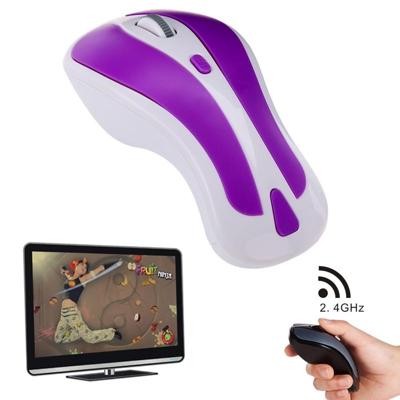

PR-01 6D Gyroscope Fly Air Mouse 2.4G USB Receiver 1600 DPI Wireless Optical Mouse for Computer PC Android Smart TV Box (Purple + White)

0
Main Features1. 2 in 1 Mouse: 2.4GHz optical mouse + 6D gyroscope fly air mouse. 2. Wireless working distance: 10m. 3. 4-Levels DPI Adjustable: 600/800/1200/1600DPI. 4. Nano USB receiver plug and play. 5. 6D gyroscope fly air mouse control conveniently easy to use. 6. Support system: Windows 2000 / XP / Vista / 7 Android Mac OS etc. 7. Arched shape...

Verkopers met dit product

Verkoper
Bezorging
Prijs
i-Mania.nl logo
i-Mania.nl
10
niet bekend
63,-

Anderen bekeken ook

PR-01 6D Gyroscope Fly Air Mouse 2.4G USB Receiver 1600 DPI Wireless Optical Mouse for Computer PC Android Smart TV Box (Purple + White)
Main Features1. 2 in 1 Mouse: 2.4GHz optical mouse + 6D gyroscope fly air mouse. 2. Wireless working distance: 10m. 3. 4-Levels DPI Adjustable: 600/800/1200/1600DPI. 4. Nano USB receiver plug and play. 5. 6D gyroscope fly air mouse control conveniently easy to use. 6. Support system: Windows 2000 / XP / Vista / 7 Android Mac OS etc. 7. Arched shape provides support for your hand in a natural and comfortable position. 8. Battery mode: 2 x AAA battery (not included).Instruction for use1. Press the Storage Key to open the battery compartment. 2. Take out the USB receiver form the battery compartment plus it into a USB host on your PC. 3. Insert 2 AAA batteries with correct polarity (+/-). 4. Close the battery compartment. 5. Slide the power switch to the ON position. 6. After use insert the USB receiver into your mouse battery compartment for storage.Switch the mouse mode1. The mouse is optical mouse default. 2. Click the Mode Select Key: The mouse goes to air mouse mode; Click th
63,-
PR-01 6D Gyroscope Fly Air Mouse 2.4G USB Receiver 1600 DPI Wireless Optical Mouse for Computer PC Android Smart TV Box (Purple + Black)
Main Features1. 2 in 1 Mouse: 2.4GHz optical mouse + 6D gyroscope fly air mouse. 2. Wireless working distance: 10m. 3. 4-Levels DPI Adjustable: 600/800/1200/1600DPI. 4. Nano USB receiver plug and play. 5. 6D gyroscope fly air mouse control conveniently easy to use. 6. Support system: Windows 2000 / XP / Vista / 7 Android Mac OS etc. 7. Arched shape provides support for your hand in a natural and comfortable position. 8. Battery mode: 2 x AAA battery (not included).Instruction for use1. Press the Storage Key to open the battery compartment. 2. Take out the USB receiver form the battery compartment plus it into a USB host on your PC. 3. Insert 2 AAA batteries with correct polarity (+/-). 4. Close the battery compartment. 5. Slide the power switch to the ON position. 6. After use insert the USB receiver into your mouse battery compartment for storage.Switch the mouse mode1. The mouse is optical mouse default. 2. Click the Mode Select Key: The mouse goes to air mouse mode; Click th
63,-
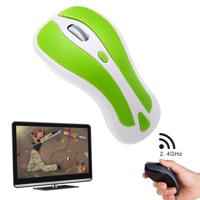
PR-01 6D Gyroscope Fly Air Mouse 2.4G USB Receiver 1600 DPI Wireless Optical Mouse for Computer PC Android Smart TV Box (Blue + White)
Main Features1. 2 in 1 Mouse: 2.4GHz optical mouse + 6D gyroscope fly air mouse. 2. Wireless working distance: 10m. 3. 4-Levels DPI Adjustable: 600/800/1200/1600DPI. 4. Nano USB receiver plug and play. 5. 6D gyroscope fly air mouse control conveniently easy to use. 6. Support system: Windows 2000 / XP / Vista / 7 Android Mac OS etc. 7. Arched shape provides support for your hand in a natural and comfortable position. 8. Battery mode: 2 x AAA battery (not included).Instruction for use1. Press the Storage Key to open the battery compartment. 2. Take out the USB receiver form the battery compartment plus it into a USB host on your PC. 3. Insert 2 AAA batteries with correct polarity (+/-). 4. Close the battery compartment. 5. Slide the power switch to the ON position. 6. After use insert the USB receiver into your mouse battery compartment for storage.Switch the mouse mode1. The mouse is optical mouse default. 2. Click the Mode Select Key: The mouse goes to air mouse mode; Click th
63,-
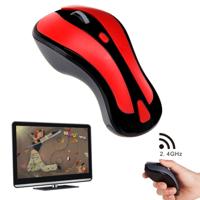
PR-01 6D Gyroscope Fly Air Mouse 2.4G USB Receiver 1600 DPI Wireless Optical Mouse for Computer PC Android Smart TV Box (Red + Black)
Main Features1. 2 in 1 Mouse: 2.4GHz optical mouse + 6D gyroscope fly air mouse. 2. Wireless working distance: 10m. 3. 4-Levels DPI Adjustable: 600/800/1200/1600DPI. 4. Nano USB receiver plug and play. 5. 6D gyroscope fly air mouse control conveniently easy to use. 6. Support system: Windows 2000 / XP / Vista / 7 Android Mac OS etc. 7. Arched shape provides support for your hand in a natural and comfortable position. 8. Battery mode: 2 x AAA battery (not included).Instruction for use1. Press the Storage Key to open the battery compartment. 2. Take out the USB receiver form the battery compartment plus it into a USB host on your PC. 3. Insert 2 AAA batteries with correct polarity (+/-). 4. Close the battery compartment. 5. Slide the power switch to the ON position. 6. After use insert the USB receiver into your mouse battery compartment for storage.Switch the mouse mode1. The mouse is optical mouse default. 2. Click the Mode Select Key: The mouse goes to air mouse mode; Click th
63,-
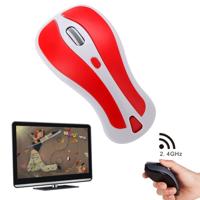
PR-01 6D Gyroscope Fly Air Mouse 2.4G USB Receiver 1600 DPI Wireless Optical Mouse for Computer PC Android Smart TV Box (Red + White)
Main Features1. 2 in 1 Mouse: 2.4GHz optical mouse + 6D gyroscope fly air mouse. 2. Wireless working distance: 10m. 3. 4-Levels DPI Adjustable: 600/800/1200/1600DPI. 4. Nano USB receiver plug and play. 5. 6D gyroscope fly air mouse control conveniently easy to use. 6. Support system: Windows 2000 / XP / Vista / 7 Android Mac OS etc. 7. Arched shape provides support for your hand in a natural and comfortable position. 8. Battery mode: 2 x AAA battery (not included).Instruction for use1. Press the Storage Key to open the battery compartment. 2. Take out the USB receiver form the battery compartment plus it into a USB host on your PC. 3. Insert 2 AAA batteries with correct polarity (+/-). 4. Close the battery compartment. 5. Slide the power switch to the ON position. 6. After use insert the USB receiver into your mouse battery compartment for storage.Switch the mouse mode1. The mouse is optical mouse default. 2. Click the Mode Select Key: The mouse goes to air mouse mode; Click th
63,-
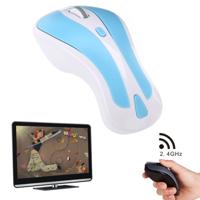
PR-01 6D Gyroscope Fly Air Mouse 2.4G USB Receiver 1600 DPI Wireless Optical Mouse for Computer PC Android Smart TV Box (Yellow + Black)
Main Features1. 2 in 1 Mouse: 2.4GHz optical mouse + 6D gyroscope fly air mouse. 2. Wireless working distance: 10m. 3. 4-Levels DPI Adjustable: 600/800/1200/1600DPI. 4. Nano USB receiver plug and play. 5. 6D gyroscope fly air mouse control conveniently easy to use. 6. Support system: Windows 2000 / XP / Vista / 7 Android Mac OS etc. 7. Arched shape provides support for your hand in a natural and comfortable position. 8. Battery mode: 2 x AAA battery (not included).Instruction for use1. Press the Storage Key to open the battery compartment. 2. Take out the USB receiver form the battery compartment plus it into a USB host on your PC. 3. Insert 2 AAA batteries with correct polarity (+/-). 4. Close the battery compartment. 5. Slide the power switch to the ON position. 6. After use insert the USB receiver into your mouse battery compartment for storage.Switch the mouse mode1. The mouse is optical mouse default. 2. Click the Mode Select Key: The mouse goes to air mouse mode; Click th
63,-
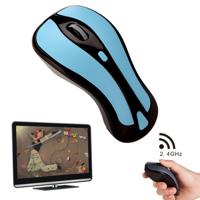
PR-01 6D Gyroscope Fly Air Mouse 2.4G USB Receiver 1600 DPI Wireless Optical Mouse for Computer PC Android Smart TV Box (Blue + Black)
Main Features1. 2 in 1 Mouse: 2.4GHz optical mouse + 6D gyroscope fly air mouse. 2. Wireless working distance: 10m. 3. 4-Levels DPI Adjustable: 600/800/1200/1600DPI. 4. Nano USB receiver plug and play. 5. 6D gyroscope fly air mouse control conveniently easy to use. 6. Support system: Windows 2000 / XP / Vista / 7 Android Mac OS etc. 7. Arched shape provides support for your hand in a natural and comfortable position. 8. Battery mode: 2 x AAA battery (not included).Instruction for use1. Press the Storage Key to open the battery compartment. 2. Take out the USB receiver form the battery compartment plus it into a USB host on your PC. 3. Insert 2 AAA batteries with correct polarity (+/-). 4. Close the battery compartment. 5. Slide the power switch to the ON position. 6. After use insert the USB receiver into your mouse battery compartment for storage.Switch the mouse mode1. The mouse is optical mouse default. 2. Click the Mode Select Key: The mouse goes to air mouse mode; Click th
63,-
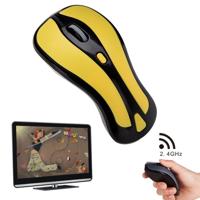
PR-01 6D Gyroscope Fly Air Mouse 2.4G USB Receiver 1600 DPI Wireless Optical Mouse for Computer PC Android Smart TV Box (Green + White)
Main Features1. 2 in 1 Mouse: 2.4GHz optical mouse + 6D gyroscope fly air mouse. 2. Wireless working distance: 10m. 3. 4-Levels DPI Adjustable: 600/800/1200/1600DPI. 4. Nano USB receiver plug and play. 5. 6D gyroscope fly air mouse control conveniently easy to use. 6. Support system: Windows 2000 / XP / Vista / 7 Android Mac OS etc. 7. Arched shape provides support for your hand in a natural and comfortable position. 8. Battery mode: 2 x AAA battery (not included).Instruction for use1. Press the Storage Key to open the battery compartment. 2. Take out the USB receiver form the battery compartment plus it into a USB host on your PC. 3. Insert 2 AAA batteries with correct polarity (+/-). 4. Close the battery compartment. 5. Slide the power switch to the ON position. 6. After use insert the USB receiver into your mouse battery compartment for storage.Switch the mouse mode1. The mouse is optical mouse default. 2. Click the Mode Select Key: The mouse goes to air mouse mode; Click th
63,-
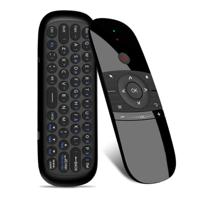
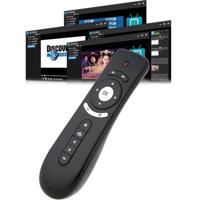
T2 Gyroscoop Mini Fly Air Mouse 2.4G Android afstands bediening 3D Sense Motion Stick voor Desktop / Laptop
1. Gloednieuw en van hoge kwaliteit2. Professionele draadloze mini remote & Air mouse & 3D motion stick combinatie 3. Gebaseerd op het Gyroscoop MEMS systeem 4. 2.4GHz Draadloze connectie tot op 10 meter 5. Plug en Play6. Laser Tracking Methode7. Ergonomisch ontwerp voor comfortabel gebruik 8. Toepassingen: Android TV box Desktop Laptop 9. Systeem vereisten: Windows XP / Vista / 7 Linux Mac OS Android OS (met standaard USB verbinding)
39,90

Klanten-reviews van PR-01 6D Gyroscope Fly Air Mouse 2.4G USB Receiver 1600 DPI Wireless Optical Mouse for Computer PC Android Smart TV Box (Purple + White)

Er zijn nog geen beoordelingen voor dit productBen jij de eerste die een review plaatst?

Meer over PR-01 6D Gyroscope Fly Air Mouse 2.4G USB Receiver 1600 DPI Wireless Optical Mouse for Computer PC Android Smart TV Box (Purple + White)

Productomschrijving

Main Features1. 2 in 1 Mouse: 2.4GHz optical mouse + 6D gyroscope fly air mouse. 2. Wireless working distance: 10m. 3. 4-Levels DPI Adjustable: 600/800/1200/1600DPI. 4. Nano USB receiver plug and play. 5. 6D gyroscope fly air mouse control conveniently easy to use. 6. Support system: Windows 2000 / XP / Vista / 7 Android Mac OS etc. 7. Arched shape provides support for your hand in a natural and comfortable position. 8. Battery mode: 2 x AAA battery (not included).Instruction for use1. Press the Storage Key to open the battery compartment. 2. Take out the USB receiver form the battery compartment plus it into a USB host on your PC. 3. Insert 2 AAA batteries with correct polarity (+/-). 4. Close the battery compartment. 5. Slide the power switch to the ON position. 6. After use insert the USB receiver into your mouse battery compartment for storage.Switch the mouse mode1. The mouse is optical mouse default. 2. Click the Mode Select Key: The mouse goes to air mouse mode; Click th

Productinformatie

    Productspecificaties

    Artikelnummer(s)
    EAN
    6167005416824

    Verken gerelateerde categorieën

    Webshop.nl maakt gebruik van cookies. Ga je verder op onze website, ga dan akkoord met het plaatsen van cookies en de verwerking van deze data door ons en vermelde partners.